Flexible line items
Use a quantity for fixed fees, units, hours or monthly retainers. Or bill a date range by the day or by hours per day.
Invoice Genie fits the way solo contractors actually work. Bill a fixed fee, monthly retainer, day rate, or hours across a date range — then preview the PDF and send.
Free to start · No credit card needed · Cancel anytime
No accounting degree, no 40-field forms. Just the tools a one-person business uses to create documents and keep its own invoice records organised.
Use a quantity for fixed fees, units, hours or monthly retainers. Or bill a date range by the day or by hours per day.
Date-range items derive days or hours automatically. Skip weekends in one switch and exclude any holiday or non-working date.
Choose Due on receipt, Net 7, Net 14 or Net 30 and the due date follows the issue date. Totals, VAT and line quantities stay live.
Your work-in-progress invoice saves locally as you type and can be restored after you leave the screen — without losing your place.
Save each client's name, address and contact once, then reuse them on every invoice — no retyping details.
Sequential invoice numbers with your own prefix, assigned securely on the server so numbers never clash across devices.
What you preview is exactly what your client receives — a clean, branded PDF, ready on every plan.
Send through the native share sheet — Mail, WhatsApp, Google Drive or Save to Files — and the invoice is marked Sent.
Record each invoice as Draft, Sent, Paid or Overdue and filter your history. Statuses are records you update; Invoice Genie does not process client payments.
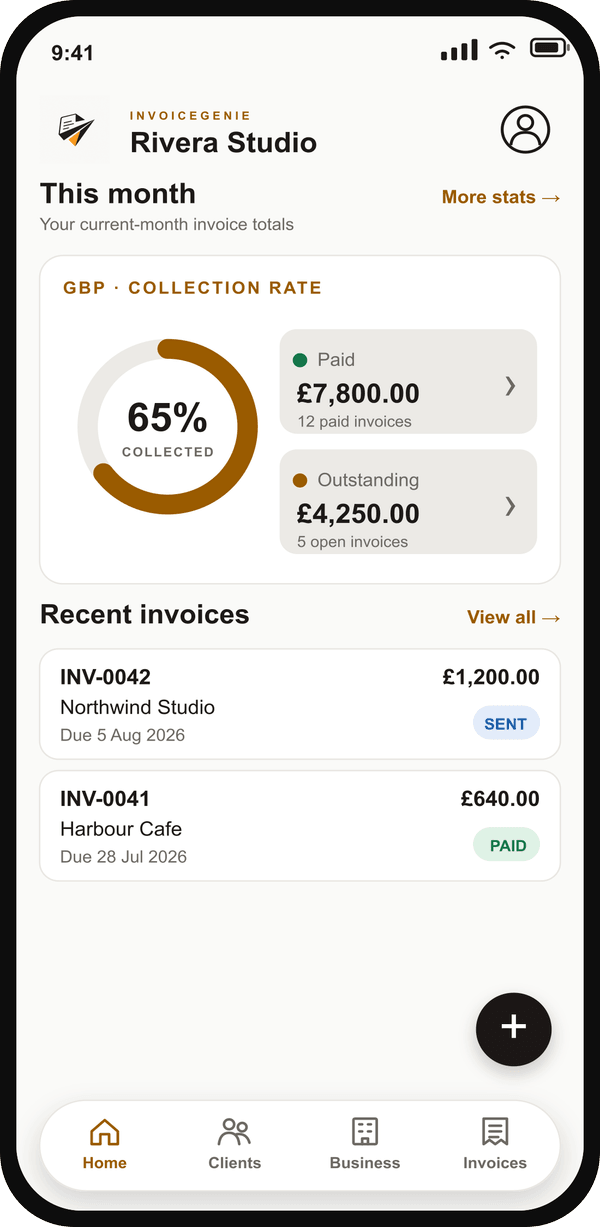
Every plan opens to a live collection-rate ring with total paid and outstanding for the month — no report to run.
Bill the same client every month? Repeat a completed invoice monthly or duplicate the last one and update only what changed.
PROEnable one reminder for an invoice: on its due date, the client gets one email and you get one push alert.
PROExport your invoice history to CSV for your accountant, spreadsheet or bookkeeping tool at tax time.
PROChoose from multiple invoice templates and set an accent colour so your invoices look unmistakably yours.
PROSet a default tax rate, toggle VAT per invoice, and let subtotal, tax and grand total add up automatically.
Five simple steps. For a repeat client it's under five taps.
Choose a saved client or add a new one in seconds.
Fixed fee or retainer, day rate, or hours per day — with weekends and custom skips handled.
See the exact PDF your client will receive.
Share by email, WhatsApp or Drive — marked Sent.
Track status and mark the invoice Paid when you confirm payment outside the app.
A calm, focused interface — so billing never feels like a chore.
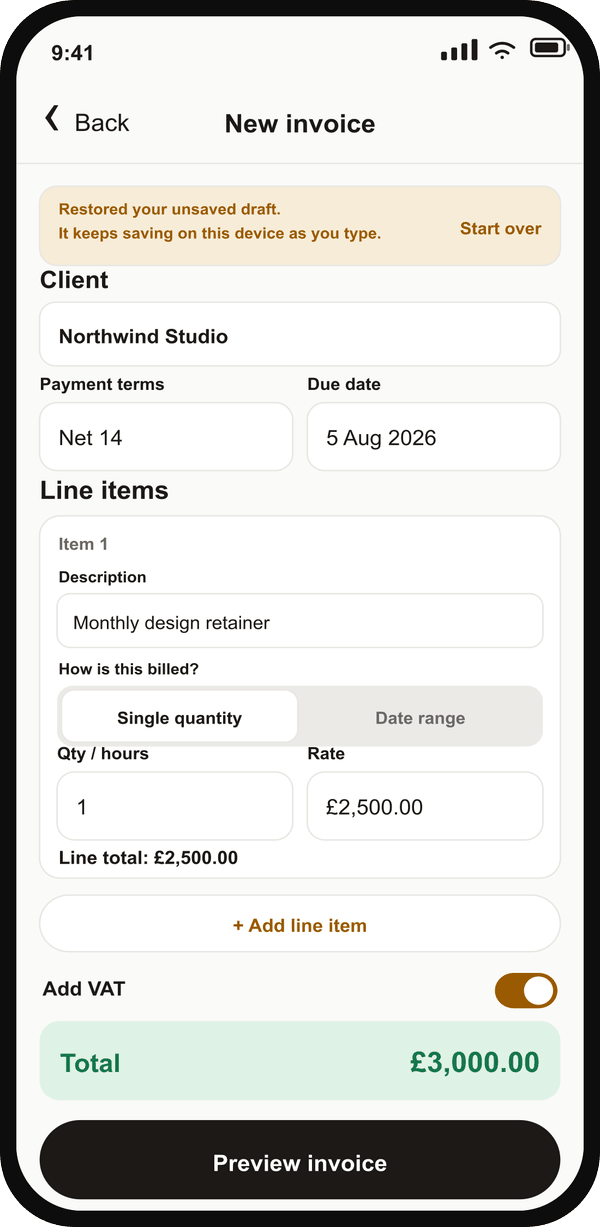
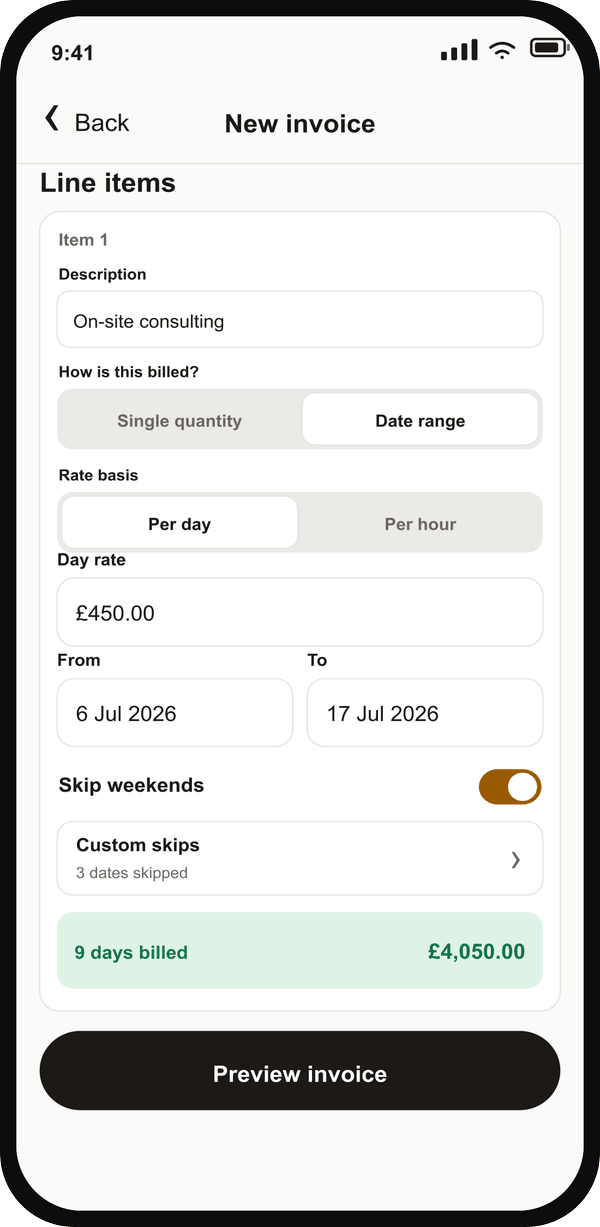
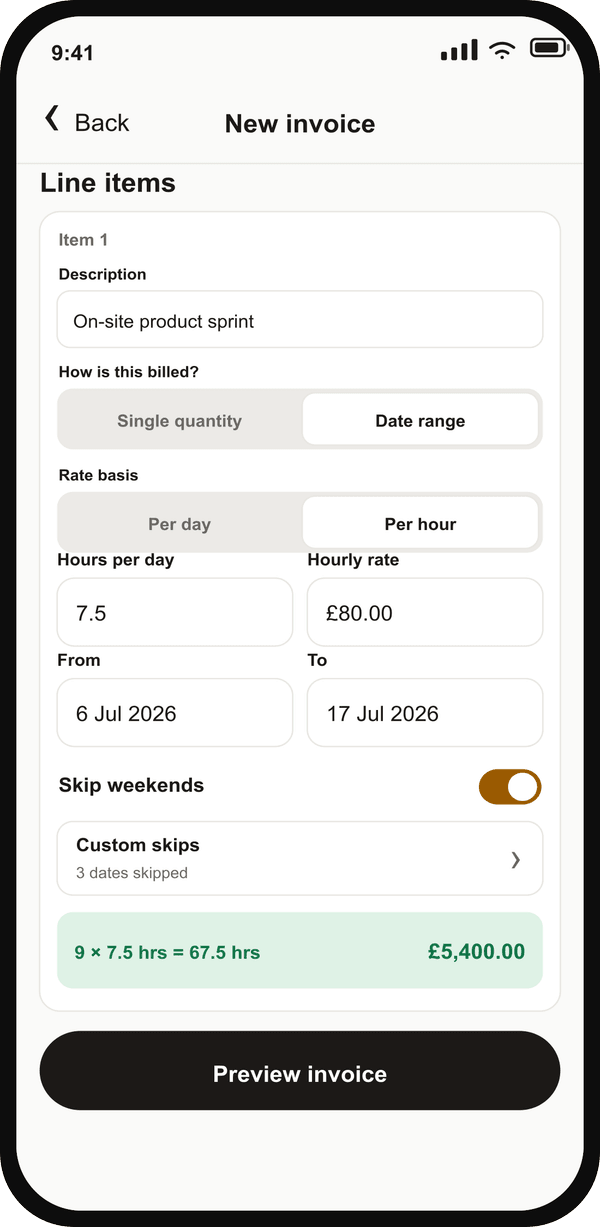
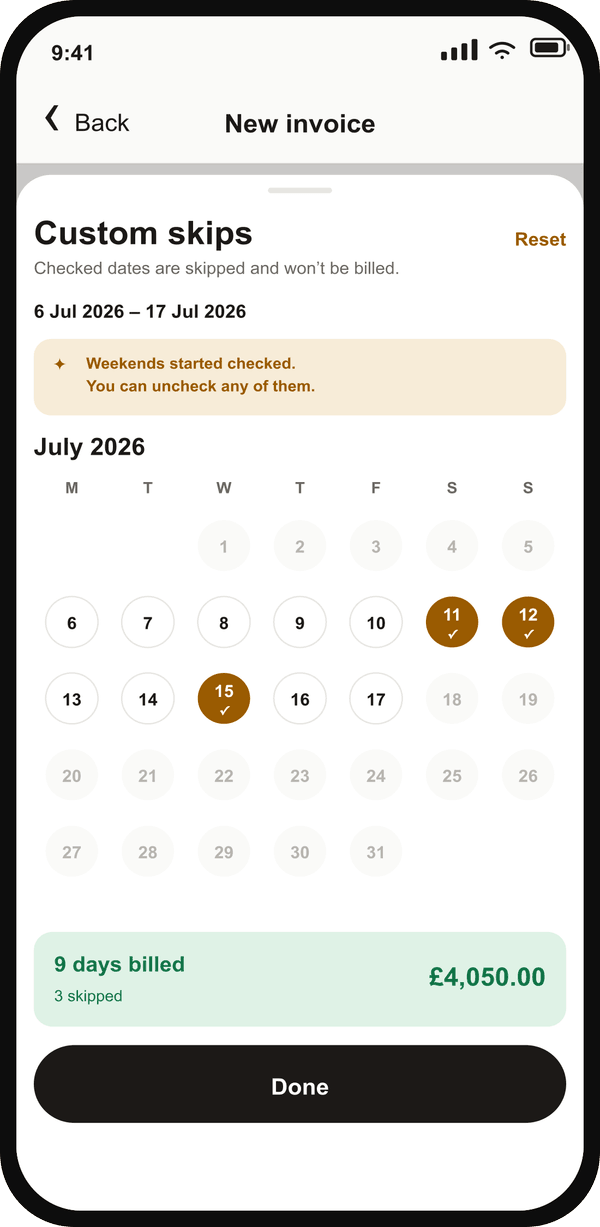
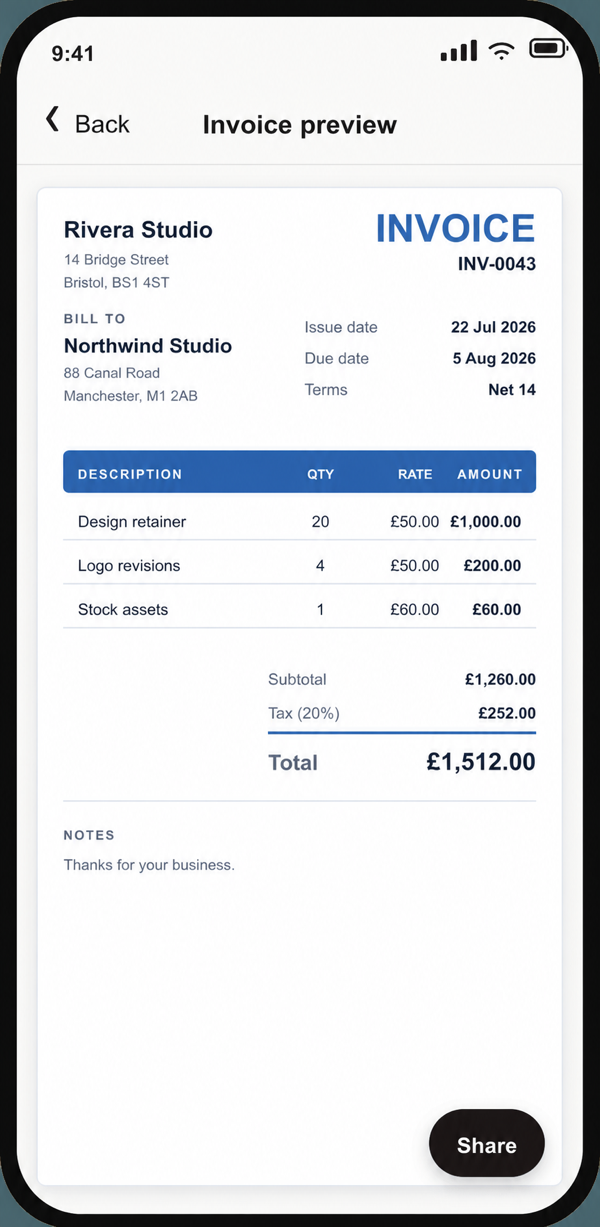
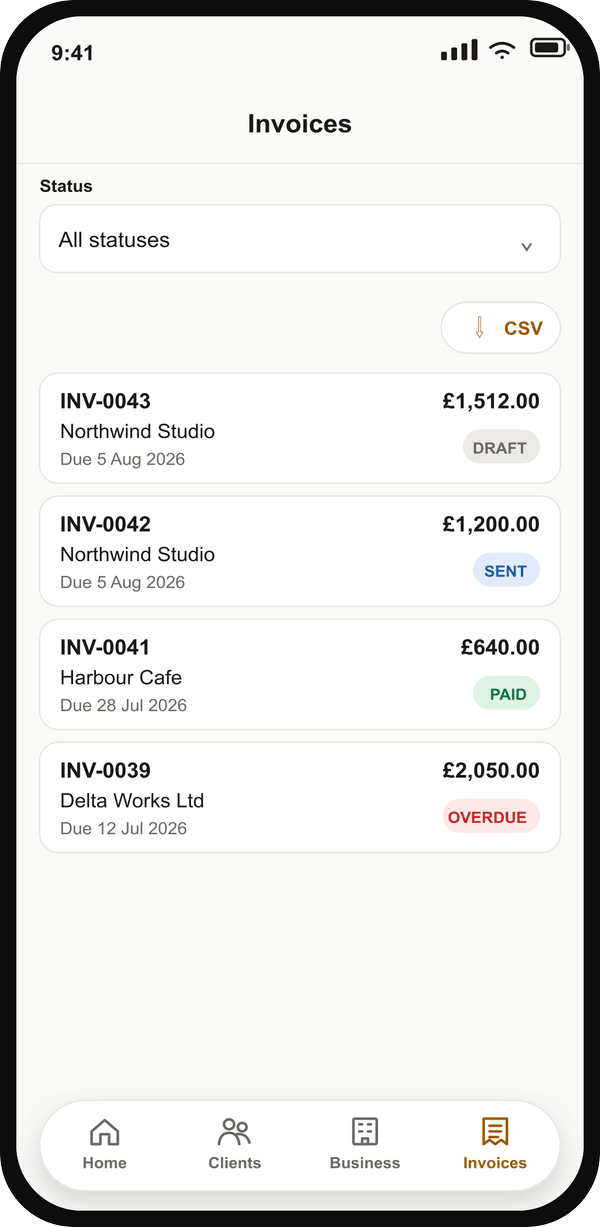
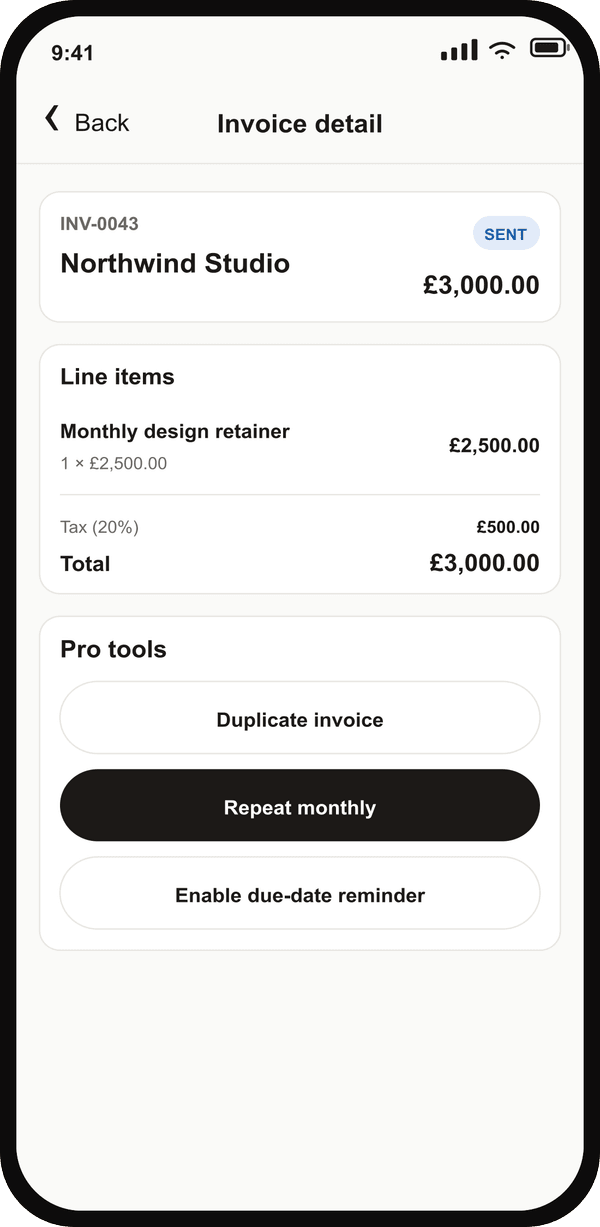
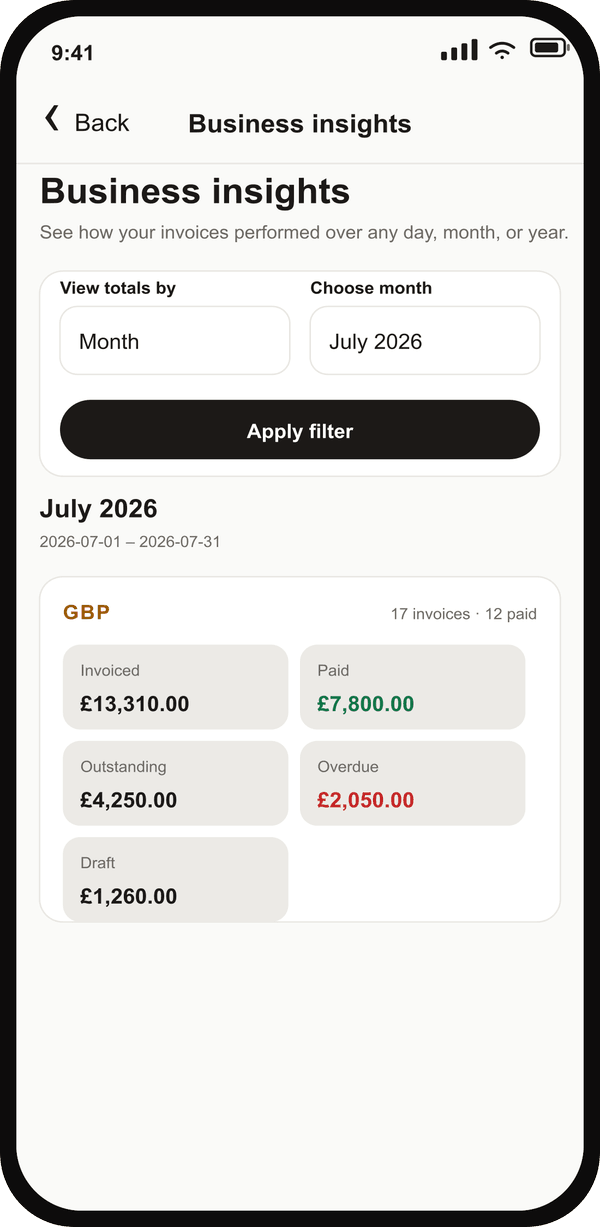
Current Invoice Genie screens shown with representative business data.
The free plan is genuinely useful. Upgrade only when unlimited invoices and time-saving tools start paying for themselves.
Cancel anytime. Subscriptions are billed through the App Store or Google Play.
Invoice Genie is a mobile invoicing app for solo contractors and freelancers. It lets you create, preview and send a professional invoice in under two minutes on iOS and Android, and record whether each invoice has been paid.
Yes. The free plan lets you manage up to 2 clients and send up to 5 invoices per month, with PDF export and payment-status tracking included. No credit card is required for the free plan.
Invoice Genie runs on both iOS and Android. Your data syncs, so you can invoice from whichever device you have to hand.
For a repeat client, a straightforward invoice takes under five taps and under two minutes: pick the client, add your work, preview the PDF, and share it. The same builder also handles richer day-rate and hourly date-range invoices when you need them.
Use Single quantity for fixed fees, units, hours or a monthly retainer. Use Date range for a day rate or hourly rate with hours per day. Invoice Genie derives the billable quantity and total, can skip weekends automatically, and lets you exclude individual non-working dates.
Yes. Every invoice has a status — Draft, Sent, Paid or Overdue — which you update as your records change. Invoice Genie does not verify or process client payments.
No. The current version creates invoice documents and tracks statuses you record manually. It does not collect bank account or payment-card numbers, connect to bank accounts, process payments, hold funds, provide credit or transmit money.
Yes. Every plan can export a professional PDF and share it through the native share sheet — Mail, WhatsApp, Google Drive or Save to Files.
Pro unlocks unlimited invoices and clients, recurring and one-tap duplicate invoices, automatic payment reminders, CSV export, detailed analytics with day, month and year filters, and all templates with accent-colour customisation. It costs £5 per month, or £51 per year (a 15% saving).
Yes. You can set a default tax rate and apply VAT to an invoice, and totals are calculated automatically as you add line items.
Join the contractors and freelancers who bill faster with Invoice Genie. Free to start — download and send your first invoice today.